

Plugable USB C Triple Display Docking Station | 100W PD, 3X HDMI
11 sold in last 24 hours
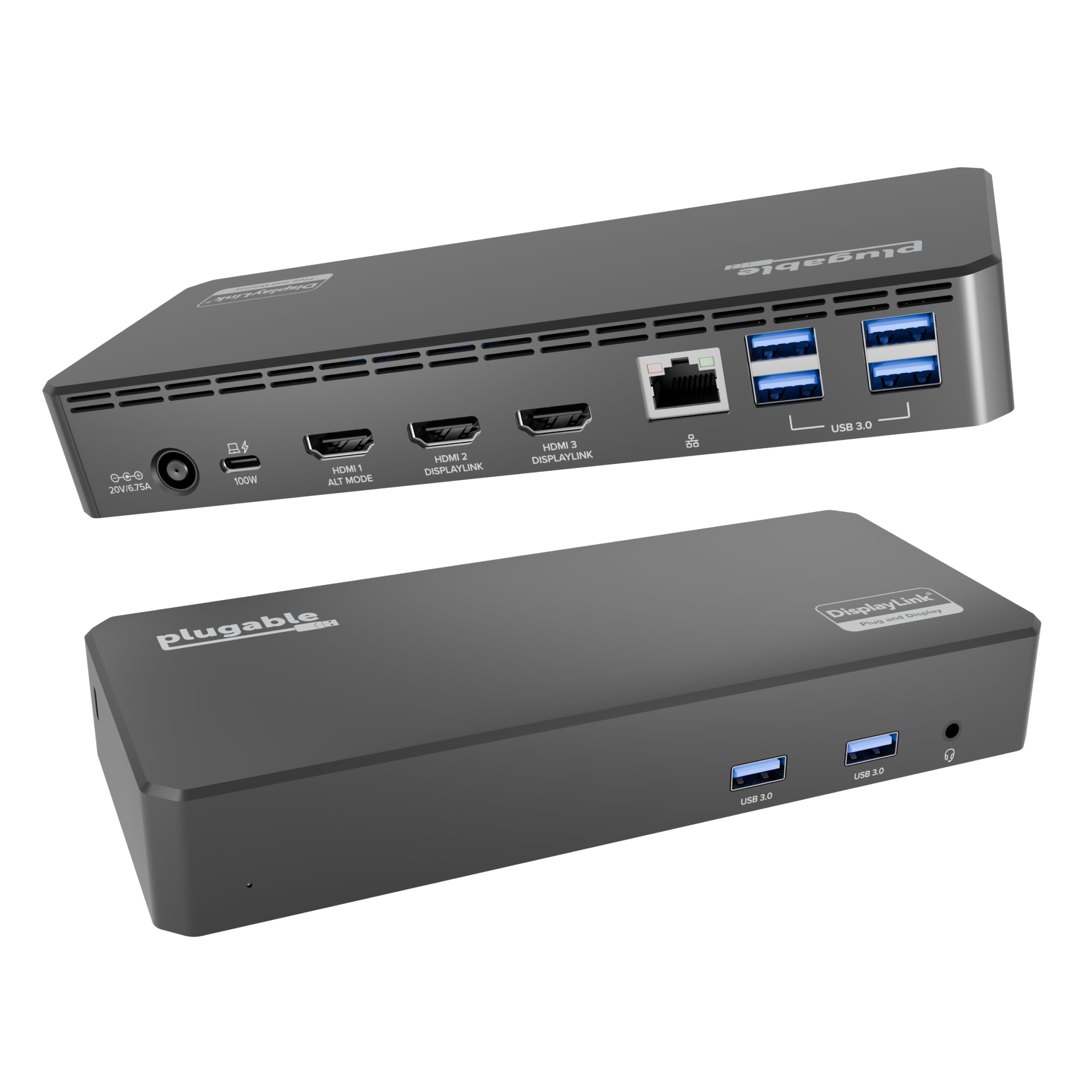
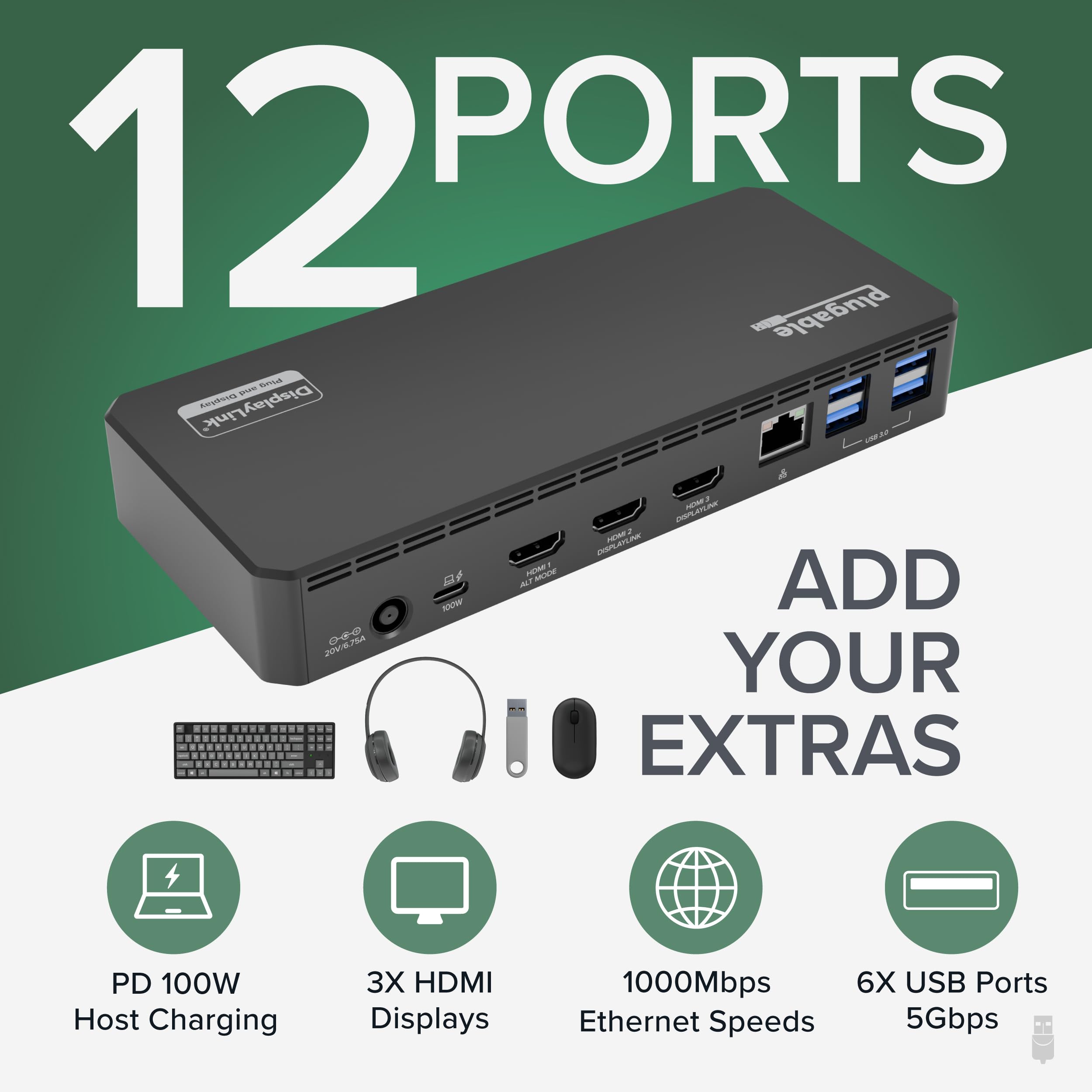
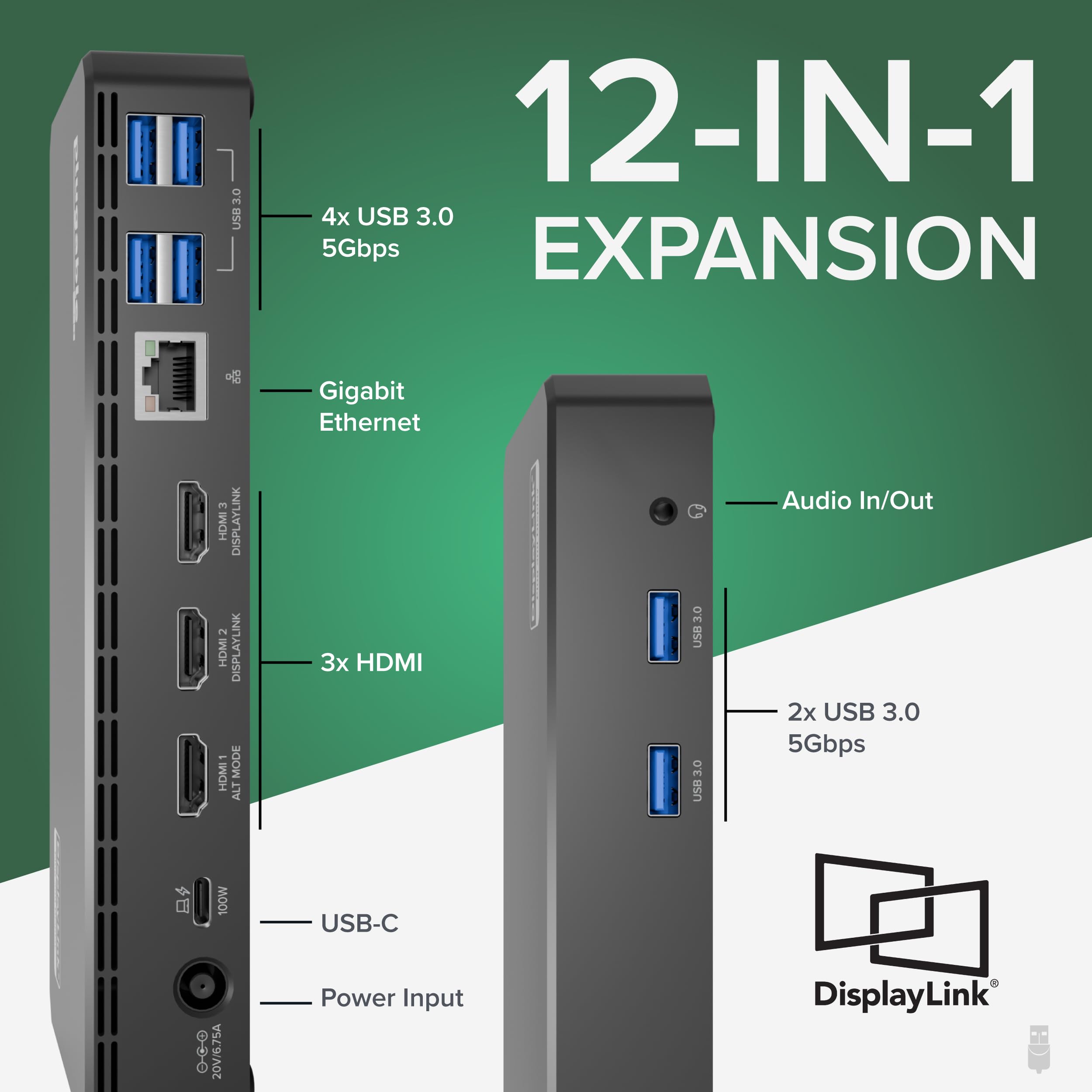
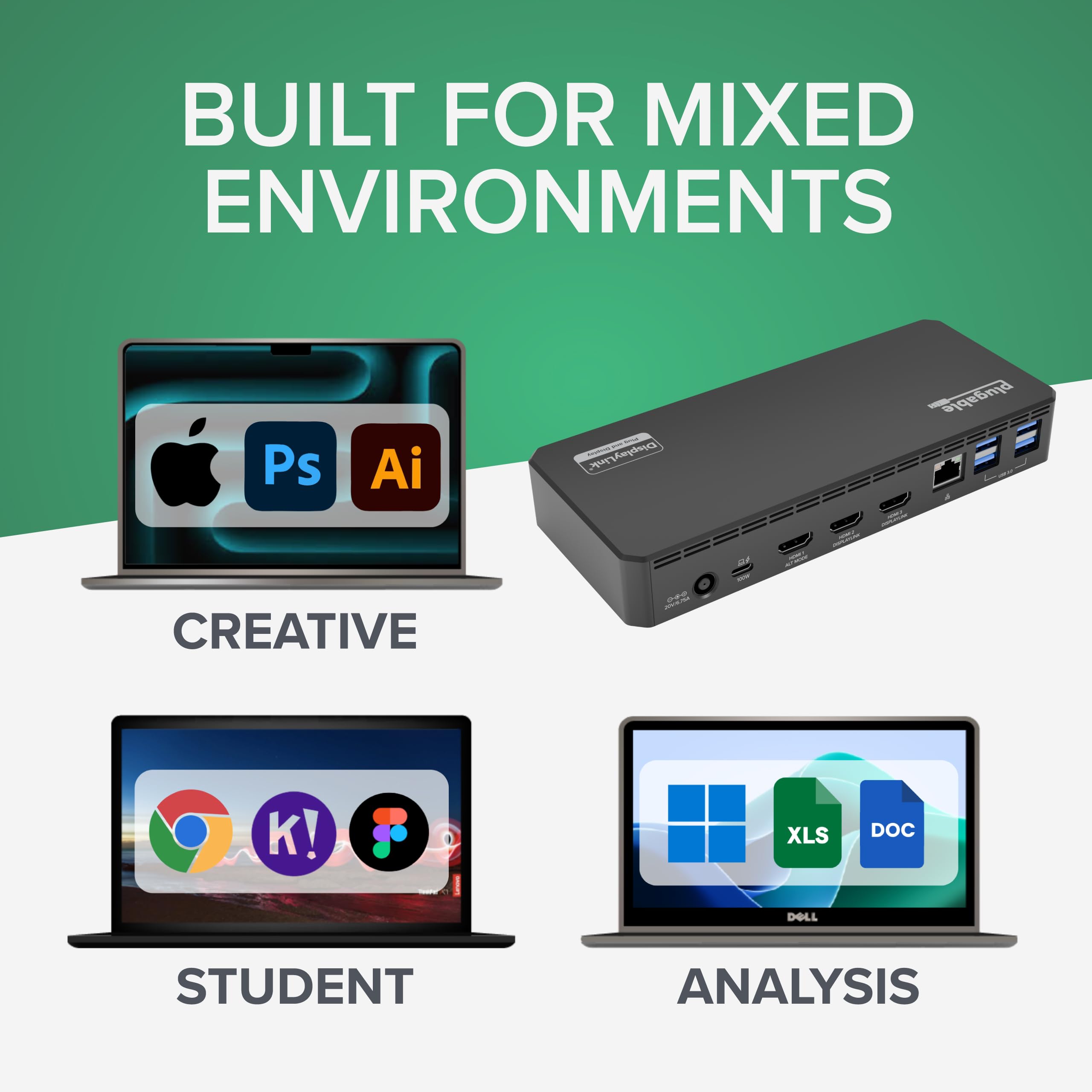
- Enterprise-Grade 12-in-1 Expansion for Hybrid Teams: Designed for compatibility with USB-C, USB4, or Thunderbolt laptops on Windows, macOS, or ChromeOS environments. Enables up to 3 HDMI monitors, wired Gigabit Ethernet network access, 6x USB 3.0 peripherals, audio, and device charging. Perfect for organizations looking to streamline IT deployments in hot-desking and managed office workspaces that demand reliable networking and easy device connectivity.
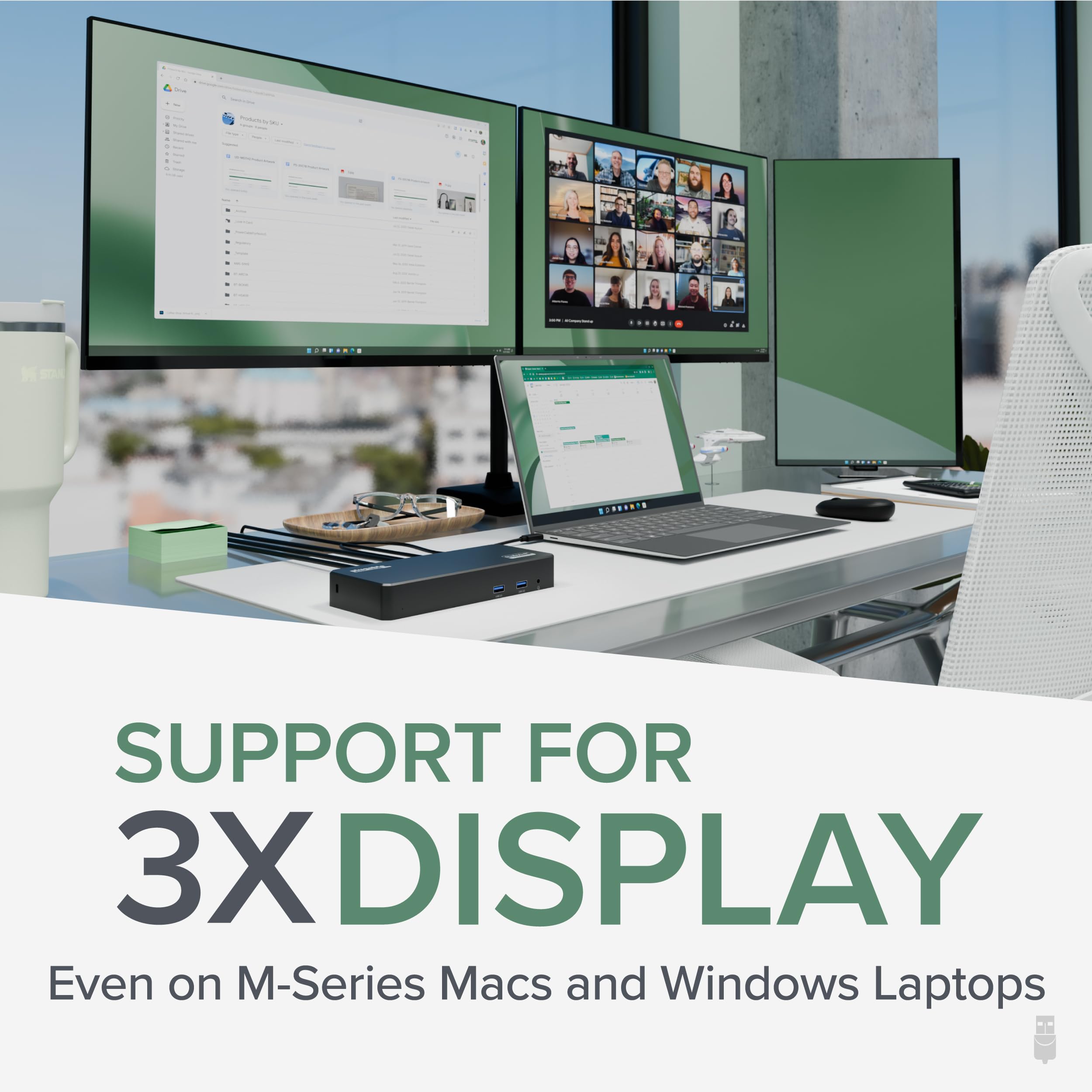
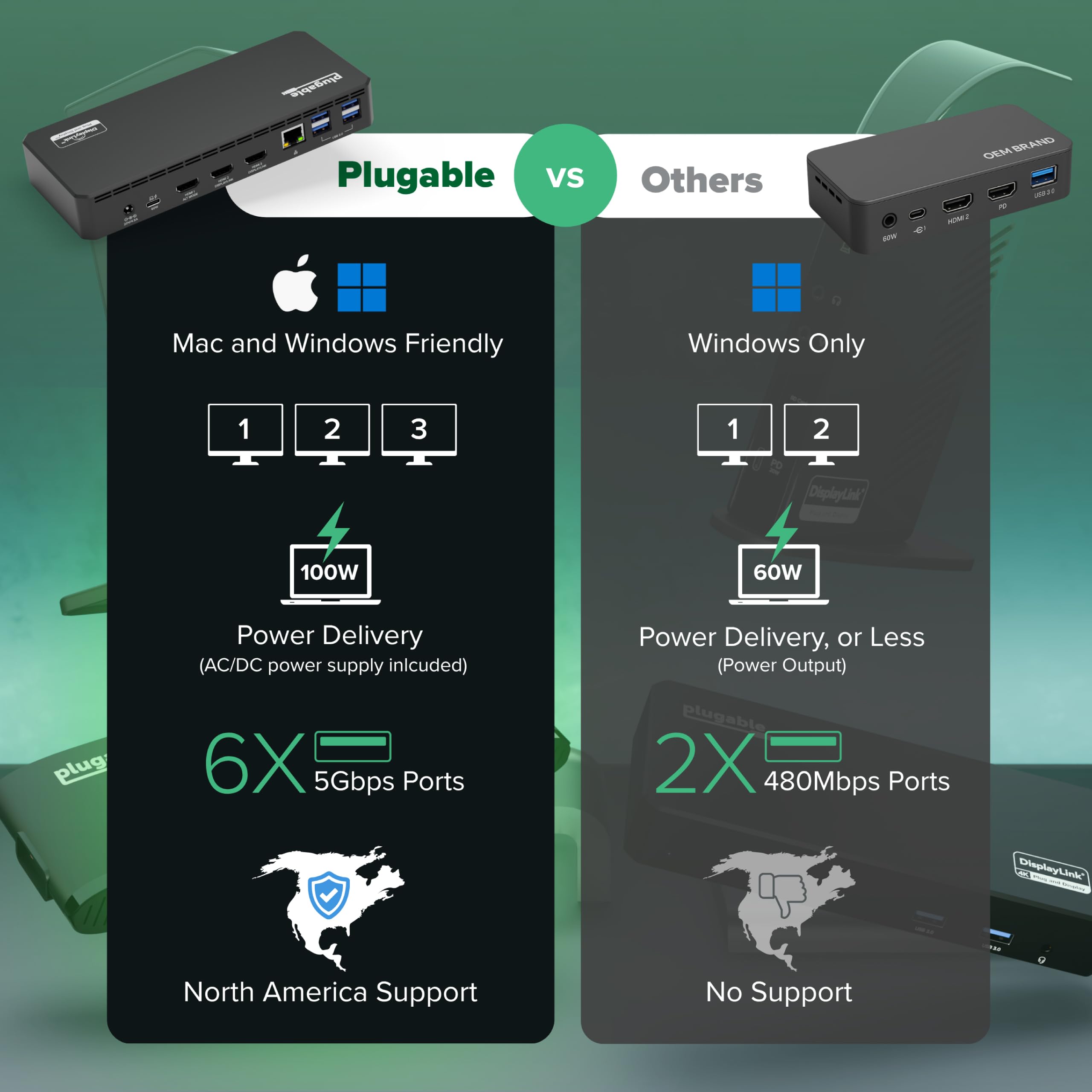
- Triple Display USB-C Docking Station: Maximize productivity with support for up to three extended HDMI displays (1× 4K @ 30Hz via Alt Mode, 2× 1080p @ 60Hz via DisplayLink). Bypasses native single-display limitations on platforms like Apple M1/M2/M3/Neo MacBooks. Compatible with all newer Apple Silicon systems, including M4 and M5. Optimized for enterprise use cases such as data analysis, presentations, and conferencing, it transforms any notebook into a multi-monitor workstation for your hybrid workforce.
- Advanced USB-C Functionality: Integrated DisplayLink graphics technology and native USB-C video output (Alt Mode) are essential for maximizing workstation productivity, delivering full, native, high-performance multi-display support, while 100W USB-C Power Delivery ensures continuous host system charging in enterprise environments.
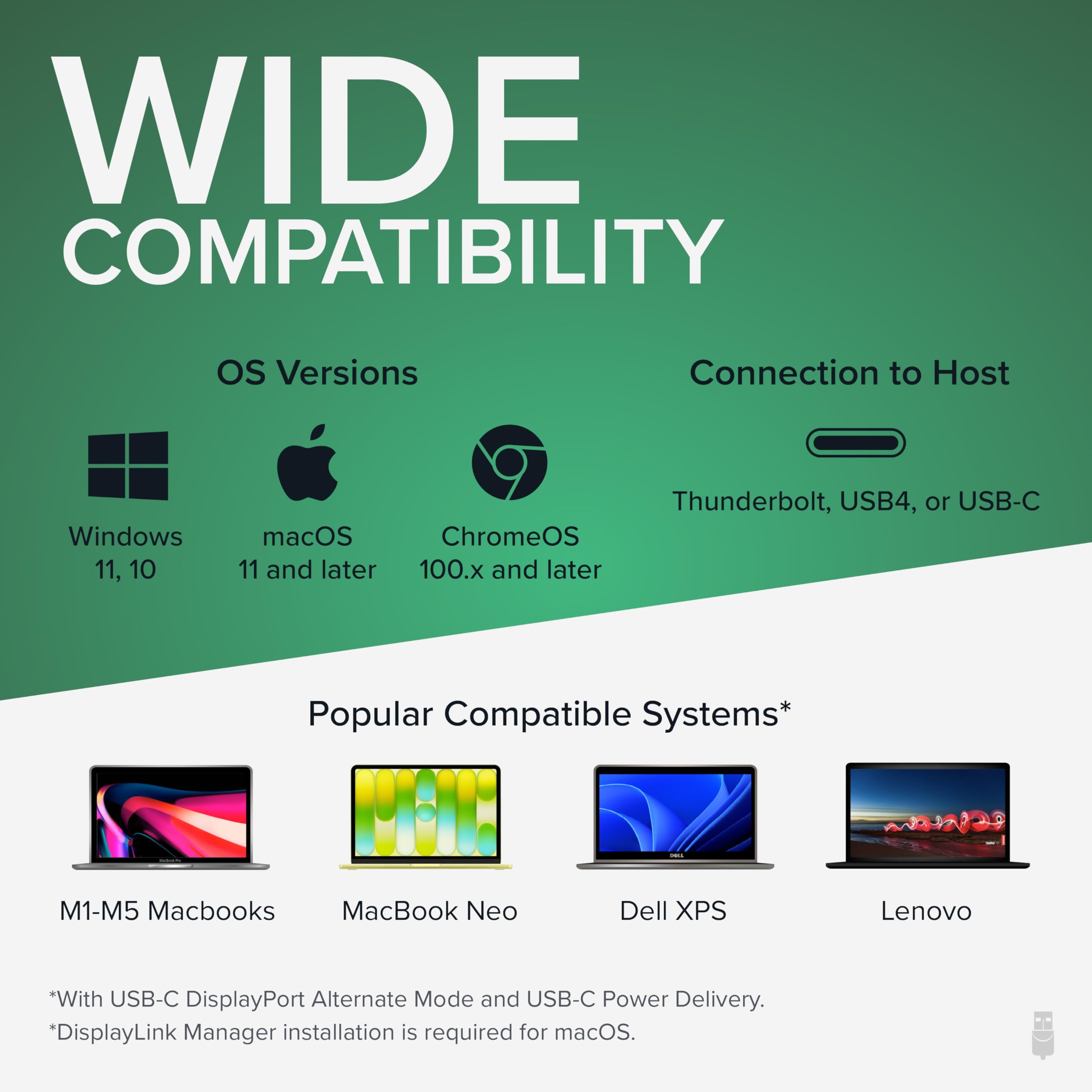
- Universal Compatibility: Engineered for seamless integration with USB Type-C, USB4, and Thunderbolt-enabled systems across macOS (11+ with driver installation), Windows, and ChromeOS (v100+). that support USB-C Alt Mode and Power Delivery. Ideal for mixed-fleet IT environments, fully compatible with Dell XPS and Latitude, HP EliteBook and ProBook, Lenovo ThinkPad, and MacBook M series laptops, and more. Not compatible with Linux; HDCP not supported.
- Expert Lifetime Support: Backed by North American-based technical support and our compatibility guarantee if something doesn’t work, we’ll make it right. Trusted by IT professionals worldwide, Plugable provides direct access to the engineers who design our products for deployment assistance, troubleshooting, and lifecycle support. We resolve issues quickly to minimize downtime and help organizations maintain productivity at scale.
Tags |
Estimated shipping
Select a product to estimate shipping.How to Install DisplayLink Driver for macOS
Note - macOS requires ‘ Screen Recording’ permission for the DisplayLink software to work. Granting this permission enables sending data from your computer over USB to the HDMI outputs. No data, images, or pixels are being stored or recorded.
Tech Specs
Do I need to install software in order to use the device?
Yes, DisplayLink software is required for the UD-3900PDZ for full functionality. Manual installation is required for macOS, Windows installation is typically automatic. We recommend installing the latest DisplayLink software for the best performance.
When installing DisplayLink software on my Mac, why is it necessary to grant ‘Screen Recording’ permission?
macOS requires “Screen Recording” for DisplayLink to send display data over USB. No data is saved or recorded. Without DisplayLink, only the Alt Mode HDMI port works. IT-managed systems may need admin approval to install drivers.
Does this dock allow for three displays even on base Apple M-Series Macs?
Yes. Enabled by DisplayLink technology, UD-3900PDZ can connect three displays even if the computer supports only one display output on its own. DisplayLink Manager installation required on Mac.
Which USB-C port on the dock can be used to connect my computer?
The USB-C port on the rear of the dock is dedicated for connecting your laptop. The front port is a hub port only, so it doesn’t work to connect a computer to the dock.
Why aren’t all three displays connecting to my dock?
Please confirm your laptop’s USB-C port supports video output (Alt mode), that the docking station is connected to the computer with the USB-C data cable provided with this dock, and that you have the DisplayLink driver/software installed.
Product details


| Main Specification | |
|---|---|
| Perangkat Kompatibel | iPad Pro or Udara or LG Gram or Dell Pro / Plus / Pro Max / XPS / Latitude / Inspiron series or Mendukung penuh-fitur USB- C or USB4 or dan sistem Thunderbolt menjalankan Windows 10 / 11 & ChromeOS 100 atau lebih baru & makOS 11 dan selanjutnya termasuk or M1 / M2 / M3 / M4 / M5 / Neo-based MacBooks (Model dasar dan model Pro / Max) or Intel- berbasis Thunderbolt 3 MacBooks (akhir 2016 +) or HP Omnibook / EliteBook / DragonFly / ProBook / Spectre x360 series or Lenovo ThinkPad / IdePad / Yoga or Framework or Model Microsoft Surface Pro / Go / Book / Laptop or Acer Swift or Predator or Vero Aspire or iPhone 15 / 15 Pro or 16 / 16 Pro or dan mini or Ribuan laptop lain yang dipenuhi dengan fitur penuh or standards-compliant USB-C ports See more |
| Manufaktur | Dapat dipotong |
| Cacah Unit | Cacah 1 |
| Dimensi Butir L x W x H | 3.3"L x 7.9"W x 1.2"H |
| Jumlah Port | 9 |
| Brand | Dapat dipotong |
| UPC | 819927012023 |
| Jumlah Objek | 1 |
| Voltase Masukan | 20 Volts |
| Dimensi Produk | 3.3"L x 7.9"W x 1.2"H |
| Wattage | 100 watt |
| Warna | Hitam |
| Butir Berat | 332 g |
| Product information | |
| Jumlah Paket | 1 |
| Total Port USB | 6 |
| Antarmuka Perangkat Keras | Tipe C USB |
| Item details | |
| Nomor Model | UD-3900PDZ |
| Others | |
| Sorot Butir | MaOS or 1x 4K 30Hz or 2x 1080p 60Hz or 6x USB 5Gbps | Windows or ChromeOS Compatible or Enhance Productivity w/ Multi-Monitor Support |
| Versi Sistem Operasi Minimum yang Diperlukan | Windows 10 or ChromeOs 134 or Mac OS 11 Big Sur |
| Tipe Produk | Docking Stations |
| Bangun Dalam Media | USBC Triple Display Dock 100W |
| Nomor Bagian Mfr | UD-3900PDZ |
| BuiltIn Media | USBC Triple Display Dock 100W |
| Jumlah Total Port HDMI | 3 |
| Ports HDMI Total | 3 |