

Fingerprint Door Lock-Smart Door knob, Biometric Door Lock, with App/Code/Backup Key/Fingerprint/IC Card, Keyless Entry Lock with Handle for Home Hotel Office Apartment Bedroom
10 sold in last 24 hours
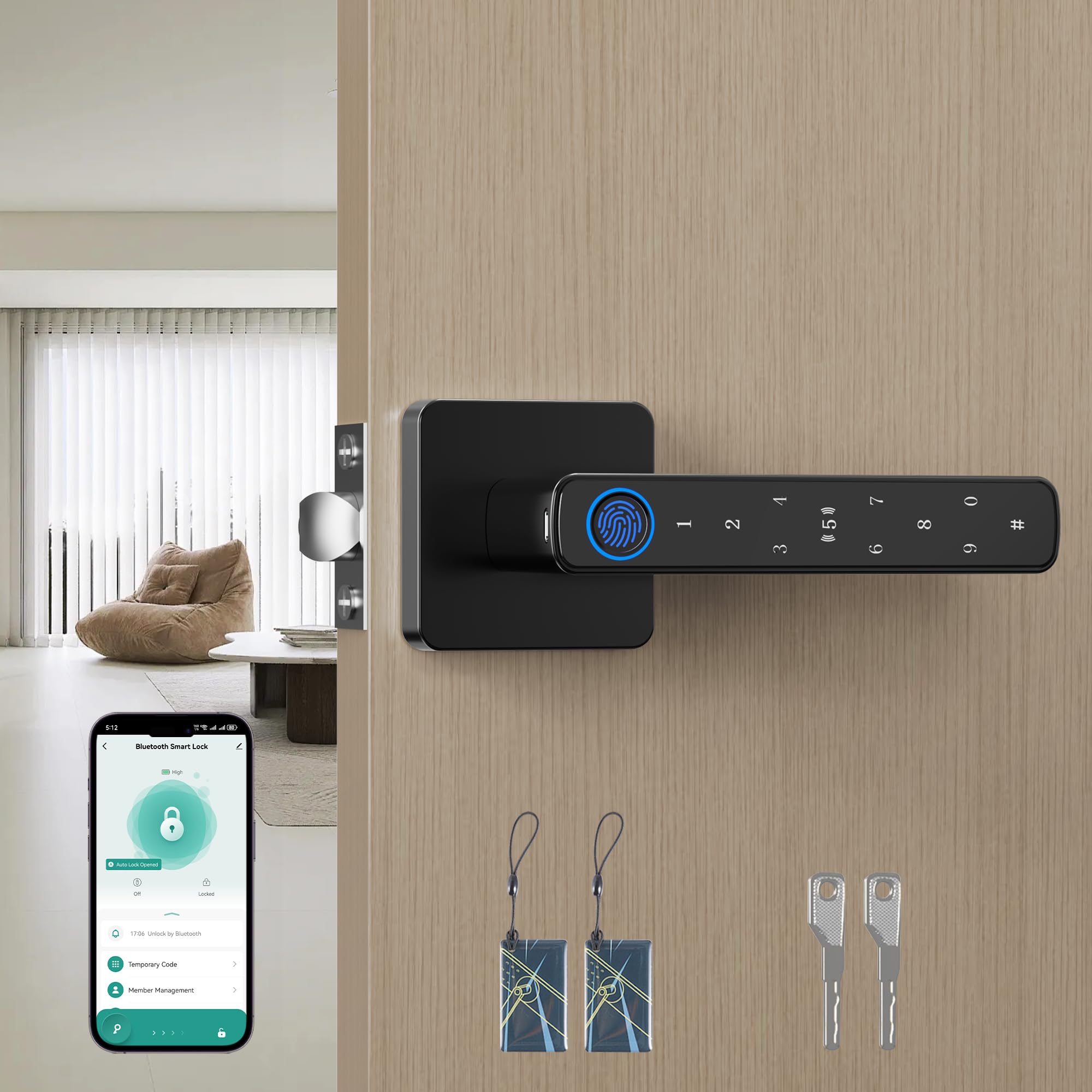
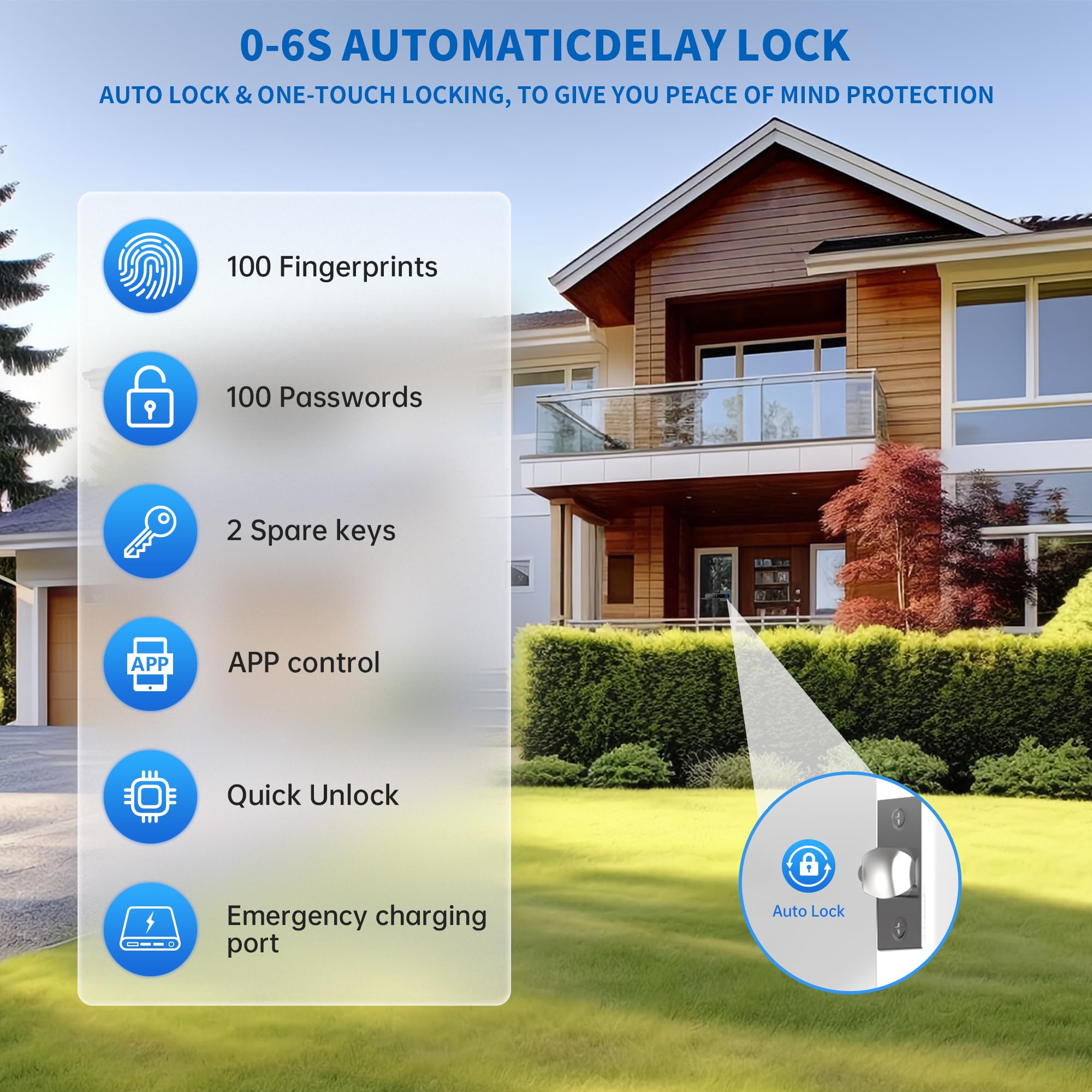
- 【5 Multiple Ways To Unlock】: These black door knobs have 5 unlocking methods,Fingerprint + Passcode + APP Control+ IC Cards (2 PCS) + Physical Keys (2 PCS). The fingerprint door knob supports to add:100 fingerprints+100 group passwords+100 pcs IC cards.
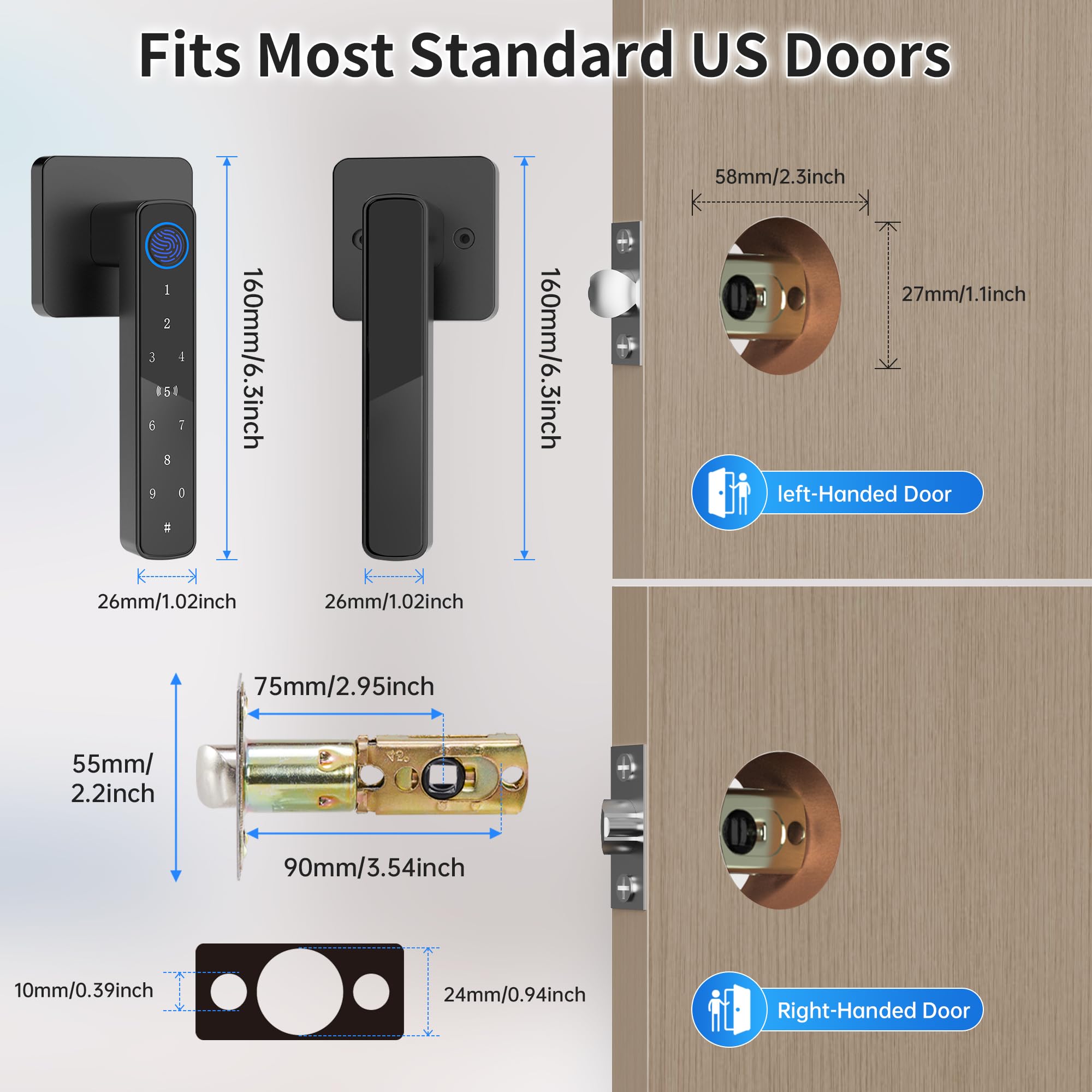
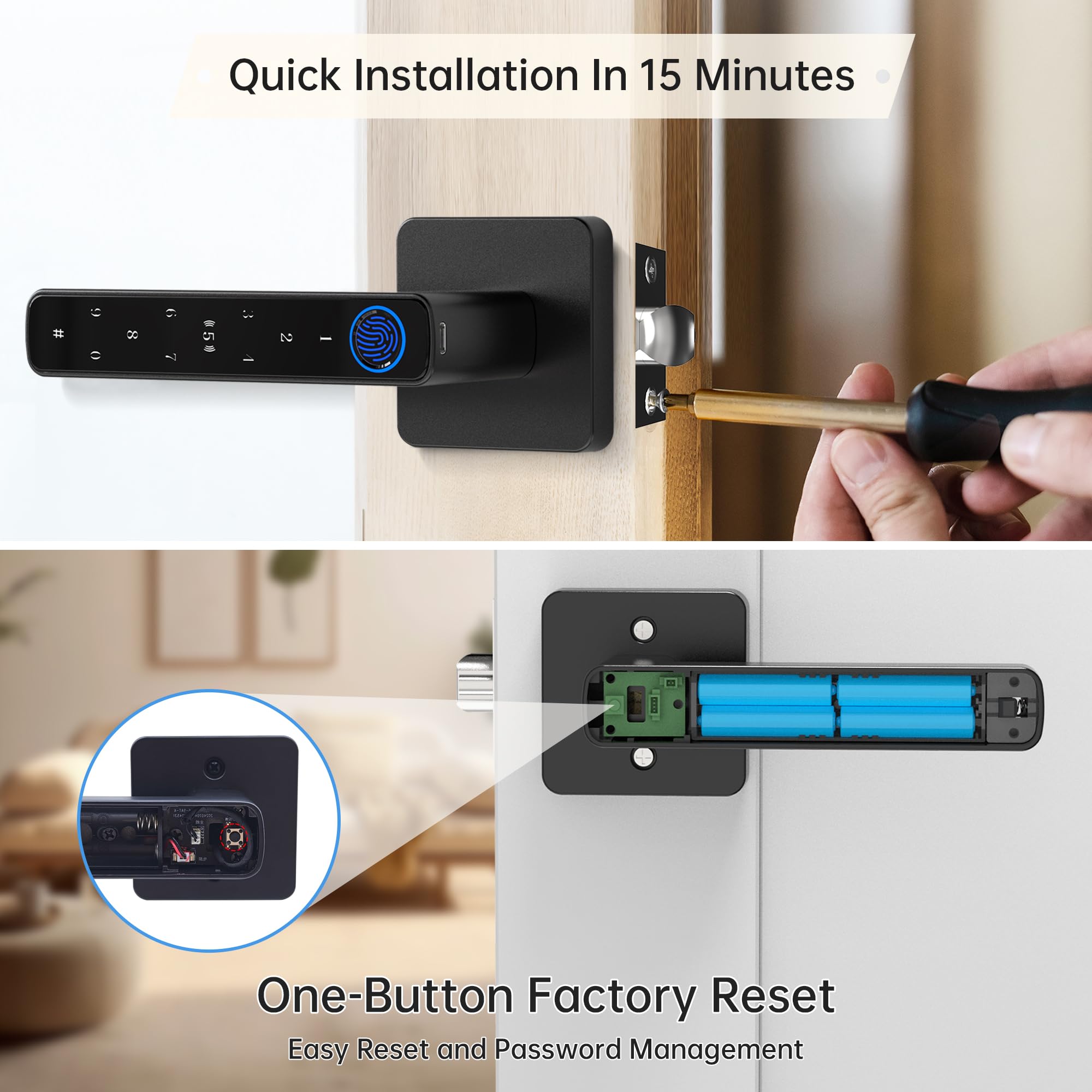
- 【Easy Installation】No wiring or drilling required. This door lock fits doors with a thickness of 1-1/8 inches to 2-1/8 inches (30mm-55mm) and is compatible with both left- and right-hand doors. Ideal for bedrooms, front doors, and interior doors.
- 【USB Emergency Power Supply】: The finger print door knobs has a low battery alarm function. When the battery is out of power, you can use the spare key or USB port for emergency charging and unlocking. Normal use requires 4 AAA batteries (not included).
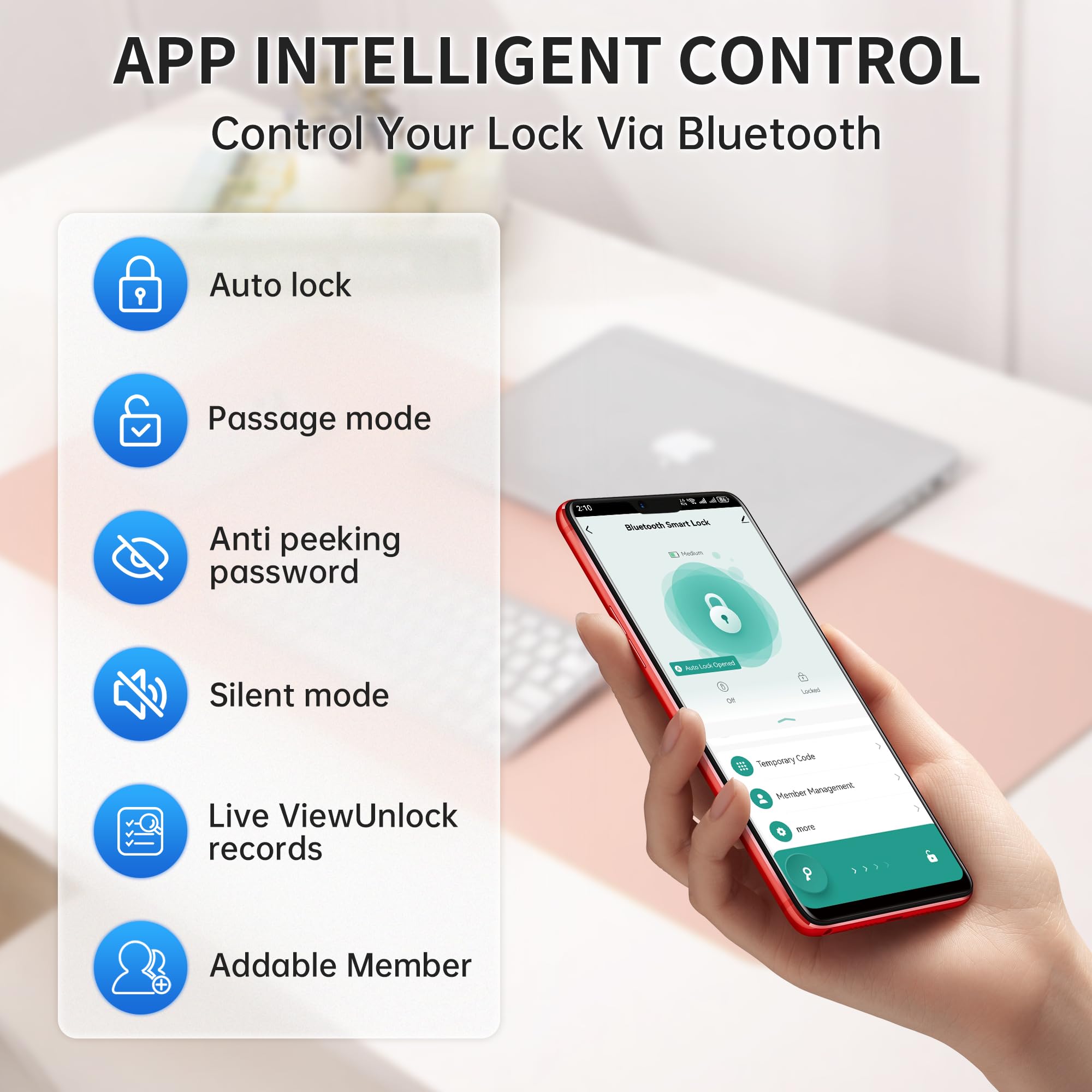
- 【TUYA APP Smart Control】: You can lock/unlock the door, share electronic codes, view log records, alarm prompts, manage users through the "TUYA" App link, unlock and manage your smart door lock more
- 【Accurate Fingerprint Sensor】Featuring upgraded fingerprint recognition technology with a 99% accuracy rate, this front door handle unlocks your door in just 0.2 seconds. The fingerprint reader has a curved design, making it suitable for fingers of various sizes, with high sensitivity and a comfortable touch operation. Note: Tap "#" to wake up the lock before unlocking with a password.
Tags |
Estimated shipping
Select a product to estimate shipping.What should I do if the smart lock does not pop up a reminder to add it on the "TUYA" app?
Please turn on the Bluetooth of your mobile phone and press and hold the button next to the battery for 5 seconds. After restoring the factory settings, open the "TUYA" APP again to add it.
What Is the USB Port Used For?
The USB port is intended for emergency by connecting a power bank when the batteries dead. Please refrain from using it for battery charging or plugging in a direct electrical outlet as it would can potentially damage the lock's internal components.
Why Can Anyone Unlock the Biometric Door Lock
The smart door knob is initially set to unlock with any fingerprint, making it accessible to anyone. To ensure security, it's vital to register your admin fingerprint after installation to prevent unauthorized access.
How to Enhance Fingerprint Recognition Accuracy on Your Lock
To achieve the best results, register the same fingerprint five times from various angles. This will make accurate fingerprint recognition and smooth access.
What Type of Battery Should I Use for this Smart Door Knob?
Please use four AAA alkaline batteries and avoid using rechargeable batteries.
| Main Specification | |
|---|---|
| Lock Type | Biometric or Combination Lock |
| Control Method | App or Touch |
| Controller Type | Touch or App |
| Included Components | Instruction Manual or Accessory Kit or External lock or internal lock or key*2 or card*2 or lock cylinder |
| Special Feature | Auto-Lock or One-Touch Lock or Touchscreen or Fingerprint or Passcode Unlock |
| Manufacturer | Shenzhen Zigxico Technology Co., Ltd. |
| Item dimensions L x W x H | 6.7 X 2.75 X 2.95 Inches |
| Brand | Ztone |
| UPC | 763235708522 |
| Number of Items | 1 |
| Recommended Uses For Product | Home |
| Shape | Rectangular |
| Model Name | Z01-Smart Lock |
| Material | Zinc |
| Colour | Black |
| Product information | |
| Number of Packs | 1 |
| Technical Details | |
| Material Type | Zinc |
| Connectivity Protocol | Bluetooth |
| Item details | |
| Model Number | Z01 |
| Style | |
| Style Name | Contemporary |
| Finish Types | Polished |
| Measurements | |
| Item Dimensions | 6.7 x 2.75 x 2.95 inches |
| Features & Specs | |
| Additional Features | Auto-Lock or Passcode Unlock or Fingerprint or Touchscreen or One-Touch Lock |
| Others | |
| Product Type | Door Knobs |