





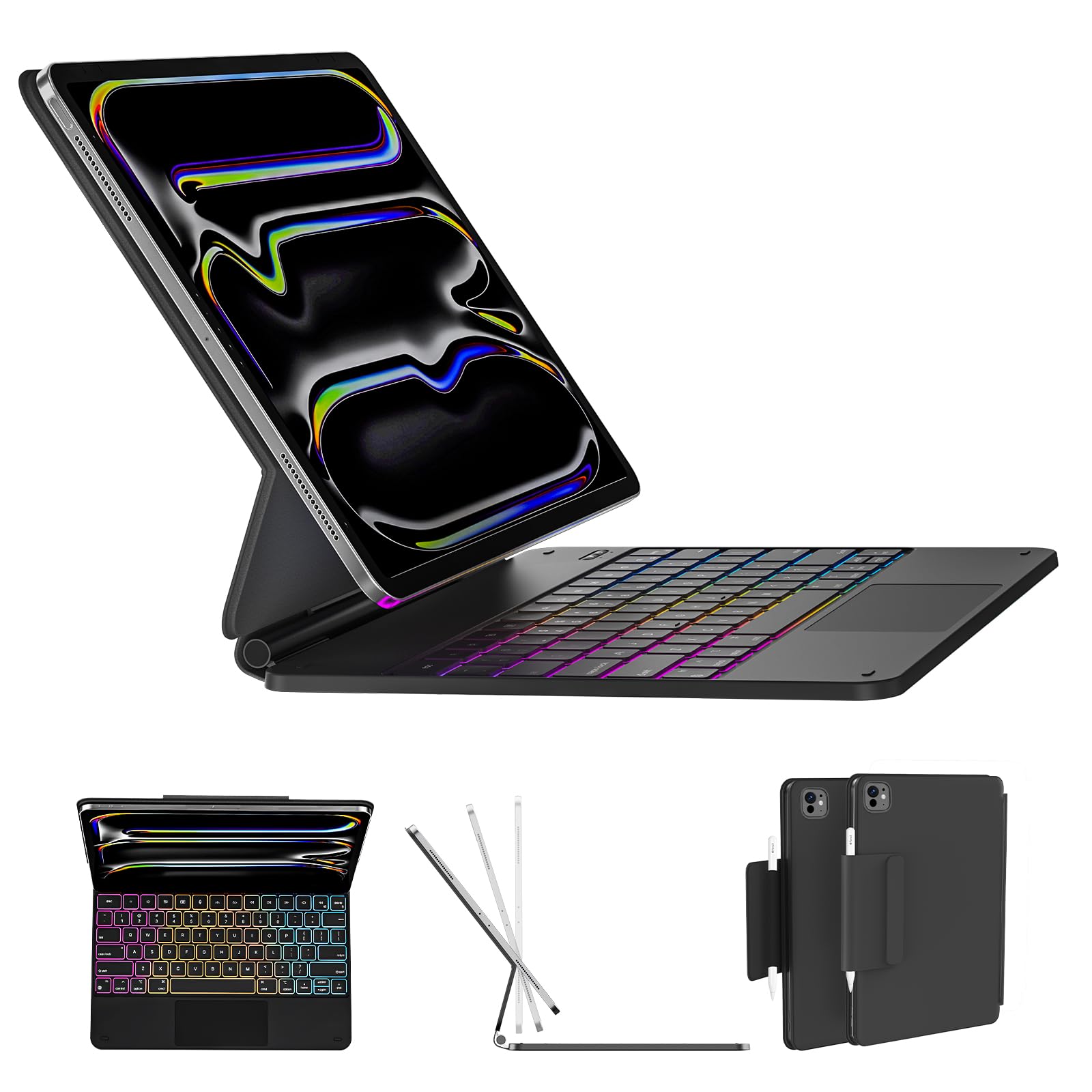
AUSDOM Magic-Style Keyboard Case for 2024 iPad Air 13(M2) and iPad Pro 12.9 (6th/5th/4th/3rd Gen), Magnetic Floating Wireless Backlit Rechargeable Bluetooth Keyboard with Multi-Touch Trackpad, Black
11 sold in last 24 hours
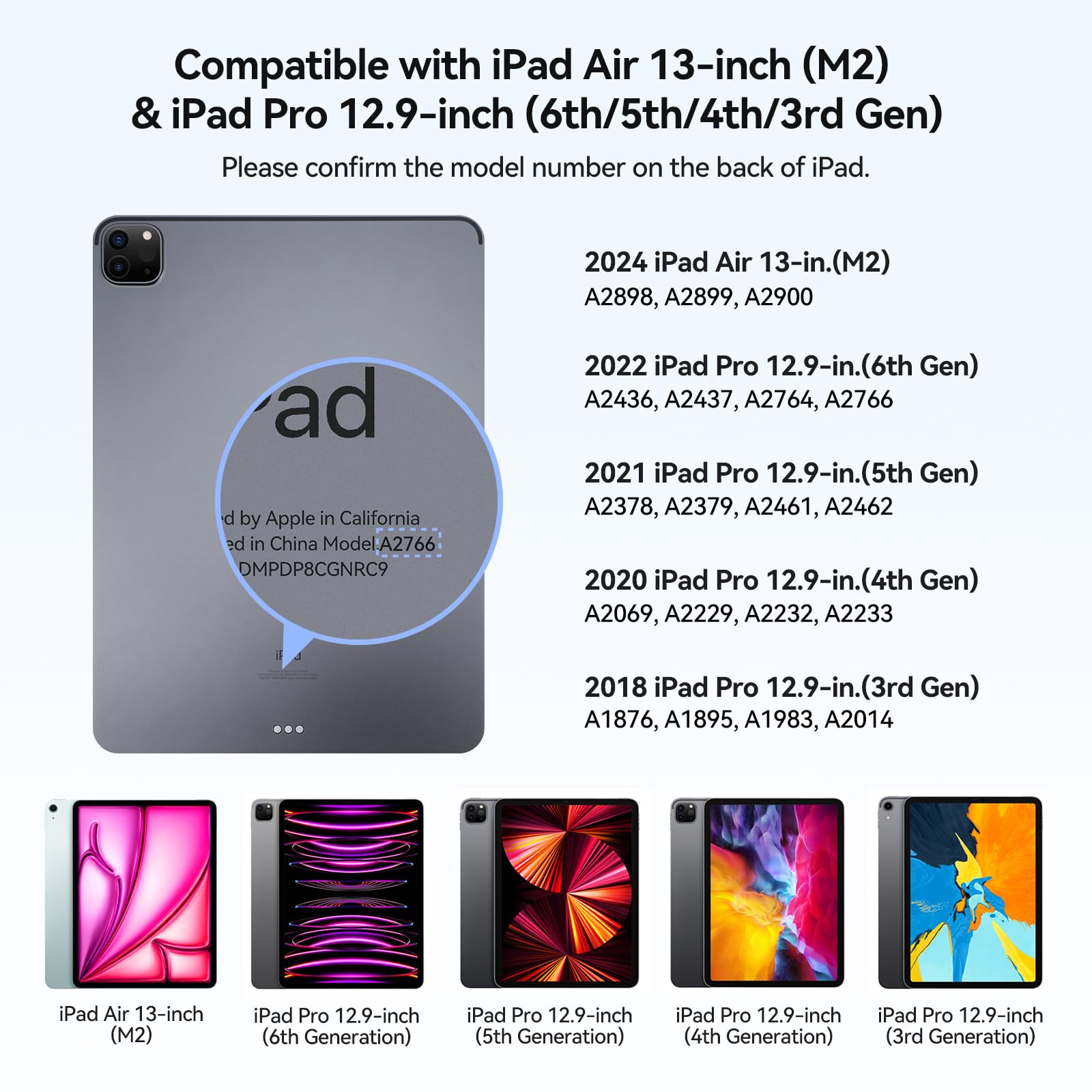
- Compatible Models: Designed exclusively for iPad Pro 12.9" (6th/5th/4th/3rd Gen) and iPad Air 13" 2024 (M2). Models include 2024 Air 13 inch(A2898 , A2899, A2900),2022 12.9 inch Pro 6th Gen(A2436 ,A2437, A2764, A2766); 2021 12.9 inch Pro 5th Generation (A2378, A2379, A2461, A2462); 2020 12.9 inch Pro 4th Generation (A2229, A2069, A2232, A2233); 2018 12.9 inch Pro 3rd Generation (A1876, A2014, A1895, A1983). Note:Not fit for iPad Pro 13"(M4) 2024, We’re happy to help! Reach out to us if you need to check compatibility.
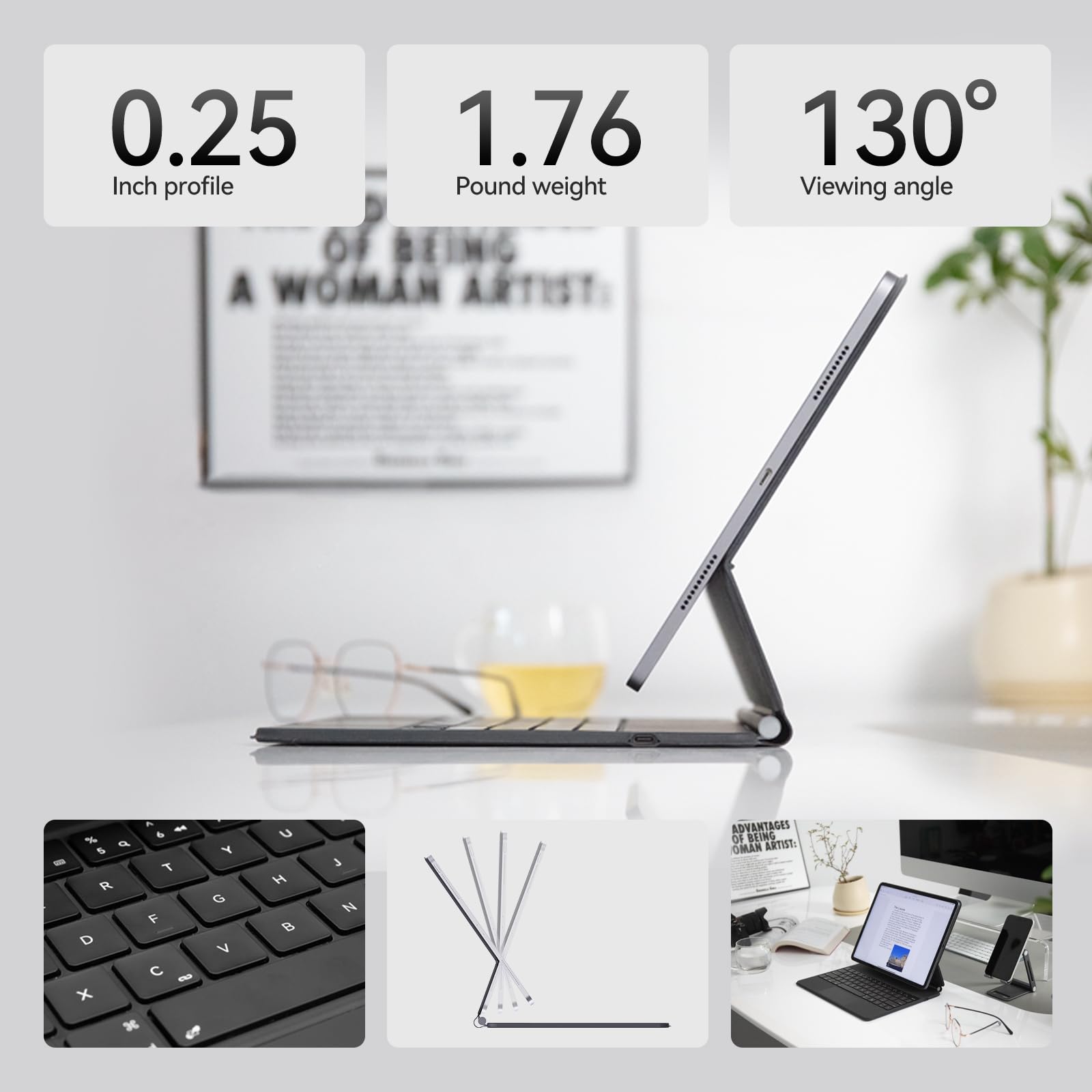
- Magnetic Floating Cantilever Design: iPad can be attached to the backpanel firmly and stably, transformed to a laptop-like tablet easily, 130° of viewing angle is great for reading and typing.
- Multi-touch Trackpad: Use the touch function to work and perform multi-touch gestures easily (like swipe, tap, pinch, scroll and switch apps). Lets you browse the web, build presentations, and edit documents at unparalleled speed.
- Rechargeable & 3-Level Backlit Keys: Comes with USB-C charging cable and adjustable 3-level backlights, supports continous work daily for 90 days or nightly for 2 weeks on a full charge, perfect for work, school, or creative projects.
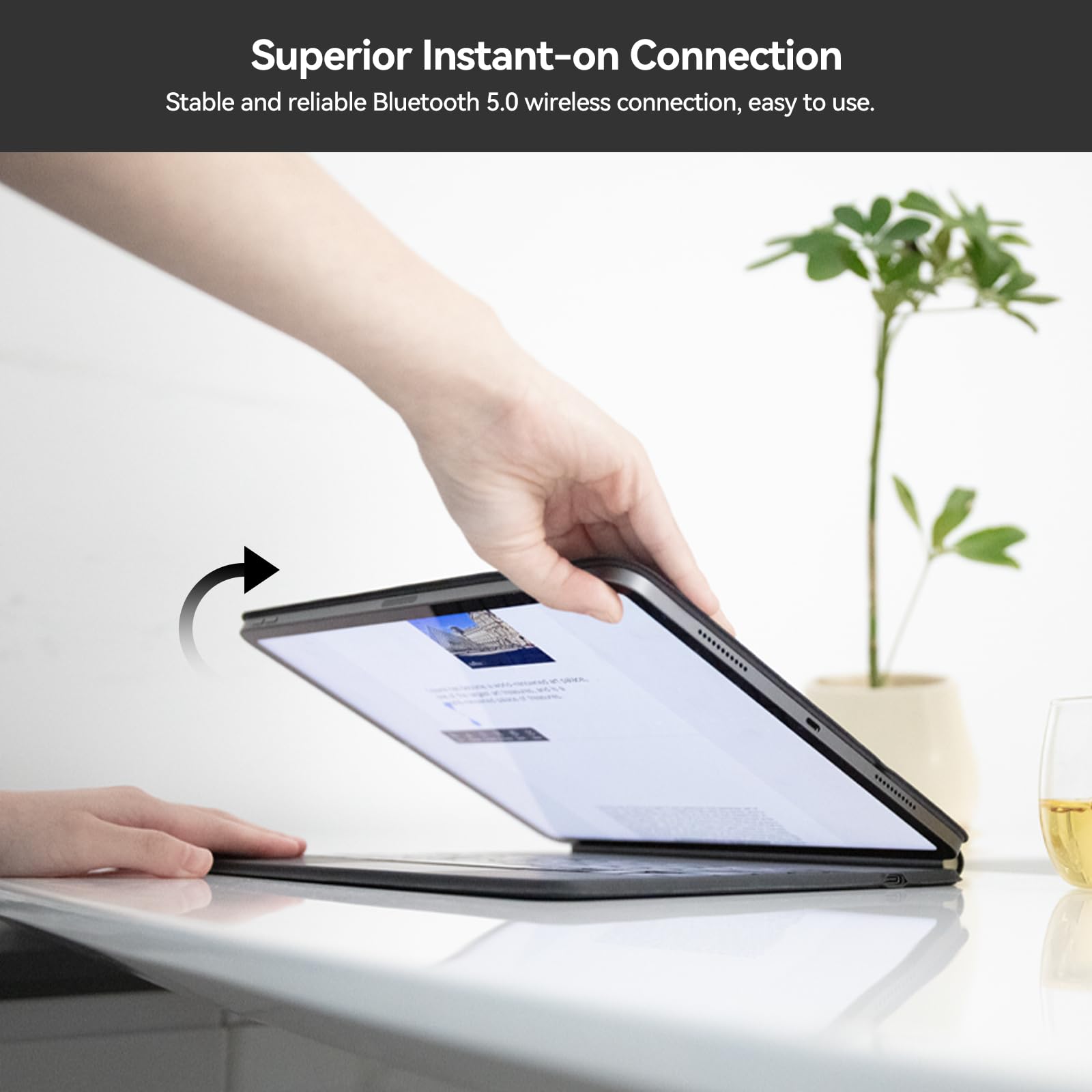
- Full Protection & Auto Wake: Protect your iPad Pro 12.9 case with keyboard from drops and scratches. Simply open keyboard case to awake and connect via wireless Bluetooth technology—durable design for everyday use.
Estimated shipping
Select a product to estimate shipping.A2898, A2899, A2900, A2436, A2437, A2764, A2766, A2766, A2378, A2379, A2461, A2462, A2069, A2229, A22332, A22333, A1876, A1895, A1983, 2014.
Slim & Lightweight
Sudut pandang yang dapat disesuaikan hingga 130 ° sempurna untuk dibaca, mengetik dan menonton.
Keyboard nirkabel magnetik mengambang fitur besar, kunci nyaman yang memberikan pantulan sempurna setiap kali untuk cepat dan akurat mengetik. 130 ° sudut pandang memastikan kita memiliki pandangan yang baik apakah kita mengambil catatan, mengirim email, menonton video, membaca artikel, dll.
Kunci-kunci yang menyala kembali menawarkan 3 tingkat kecerahan yang dapat disesuaikan dengan ruangan, sehingga kita dapat tetap fokus dengan kunci-kuncinya selalu berwujud dan terus bekerja sampai larut malam. Kecerahan dapat disesuaikan secara manual menggunakan kunci "light" di bagian bawah papan tik.
Apa yang harus kita lakukan jika koneksi Bluetooth gagal?
1. Hapus catatan koneksi Bluetooth pada iPad Pro dan nyalakan Bluetooth lagi;
2. Tekan tombol "fn + left shift + delete" untuk me-reset keyboard ke pengaturan pabrik;
3. Mohon ikuti manual pengguna untuk menyambung kembali.
Bagaimana menggunakan tombol pintas?
Tekan fn dan tombol nomor pada saat yang sama, misalnya: tekan "fn + 1" untuk mengurangi kecerahan layar dari iPad.
Bagaimana mematikan trackpad?
Tekan tombol "fn + spacebar" untuk menyalakan / mematikan fungsi trackpad.
Mengapa pad sentuh tidak cukup sensitif?
It is recommended to set the trackpad as tap to click on the iPad Pro, the following steps are: Settings -> General -> Trackpad -> Tap to click.
Apakah kasus papan ketik nirkabel memiliki kebutuhan versi sistem untuk iPad?
Ya, mohon konfirmasi sistem ipad Anda dan perbarui versi, papan ketik kompatibel dengan iPadOS 14.5 atau lebih tinggi.
Product details


| Main Specification | |
|---|---|
| Uses Yang Disarankan Untuk Produk | Kantor or Pribadi or Penggunaan sehari-hari or kerja or Bisnis or Pendidikan or Multimedia or Siswa |
| Perangkat Kompatibel | 2020 iPad Pro 12.9 (4th generation - A2069 / A2229 / A2232 / A2233) or 2022 iPad Pro 12.9 (6th generation - A2436 / A2437 / A2764 / A2766) or 2018 iPad Pro 12.9 (3rd generation - A1876 / A1895 / A1983 / A2014) or 2021 iPad Pro 12.9 (5th generation - A2378 / A2379 / A2461 / A2462) or 2024 iPad Air 13-inch (M2) - A2898 or A2899 or A2900 See more |
| Tema | Kantor or Belajar or Entertainment |
| Fitur Khusus | Dapat diisi ulang or Backlit or Trackpad |
| Manufaktur | AUSDOM |
| Cacah Unit | Cacah 1 |
| Dimensi item L x W x H | 11.22"L x 9.02"W x 0.69"H |
| Orientasi Tangan | Ambidextrous |
| Keterangan Papan Ketik | Nirkabel |
| Brand | AUSDOM |
| Jumlah Objek | 1 |
| Teknologi Konektivitas | Bluetooth |
| Nama Model | AUSDOM Magkey12.9 Keyboard Case for iPad Pro 12.9 |
| Sumber Daya | Baterai Dibekukan |
| Dimensi Produk | 11.22"L x 9.02"W x 0.69"H |
| Warna | Hitam |
| Gaya | Kontemporer |
| Butir Berat | 1,8 pounds |
| Product information | |
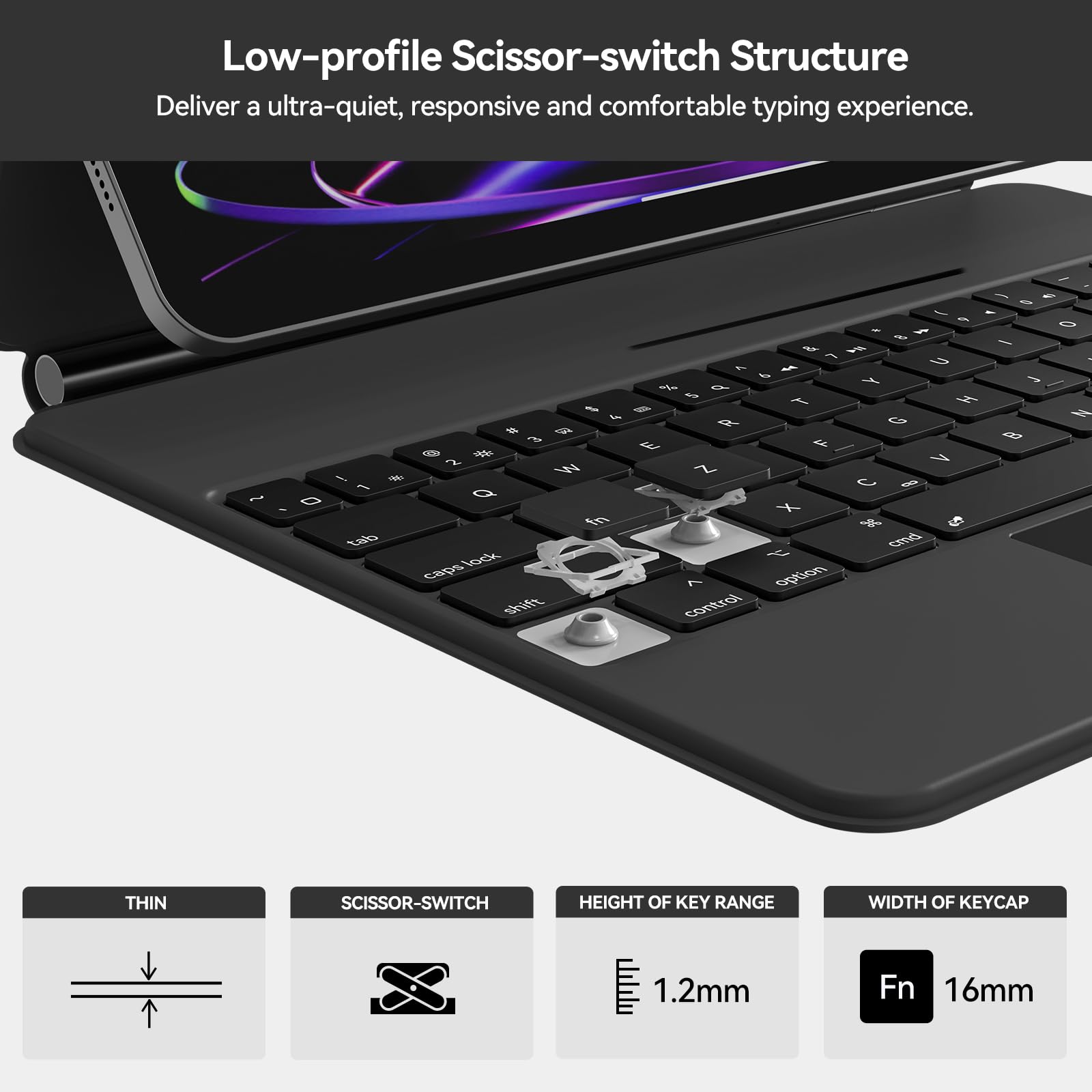
| Tipe Switch | Scissor Switches |
| Jumlah Paket | 1 |
| Nomor Seri | 129 |
| Technical Details | |
| Negara Asal | Cina |
| Item details | |
| Nomor Model | Magkey12.9 |
| Nama Tipe Butir | AUSDOM Magkey12.9 Keyboard Case for iPad Pro 12.9 |
| Style | |
| Nama Gaya | Kontemporer |
| Features & Specs | |
| Fitur Tambahan | Dapat diisi ulang or Backlit or Trackpad |
| Others | |
| Bangun Dalam Media | Manual Pengguna or Kabel USB or AUSDOM Magkey12.9 Keyboard Case |
| Enclosure Material | Aluminum or Kain or Kulit |
| Lokasi Antena | Kantor or Bisnis or Pendidikan or Penggunaan sehari-hari or Multimedia or Pribadi or Siswa or Kantor |
| BuiltIn Media | Manual Pengguna or Kabel USB or AUSDOM Magkey12.9 Keyboard Case |
| Model Compatible Tablet Computer | Apple iPad Pro 12.9- inch (generasi 3) or Apple iPad Pro 12.9-inch (generasi 4) or Apple iPad Pro 12.9-inch (generasi ke-5) or Apple iPad Pro 12.9- inch (generasi 6) or iPad Apple Air 13- Inch (M2) |
| Tipe Produk | AUSDOM Magkey12.9 Keyboard Case for iPad Pro 12.9 |
| Nomor Bagian Mfr | AUSDOM Magkey12.9 |
| Quantity Tombol | 64 |
| Cacah Daerah | 1 |
| Versi Sistem Operasi Minimum yang Diperlukan | IPadOS 13 |
| Compatible Operating System Family | IPadOS |
| Tata Letak Papan Tik | QWERTY |
| Generasi | 3rd to 6th Generation |
| Dukungan Warna Backlights Papan Ketik | Warna Tunggal |
| Model Switch Papan Ketik Mekanik | Scissor Switches |
| Jumlah Kunci | 64 |
| Jumlah Baterai Diperlukan | 1 |